 BrickMerge
Connected changes
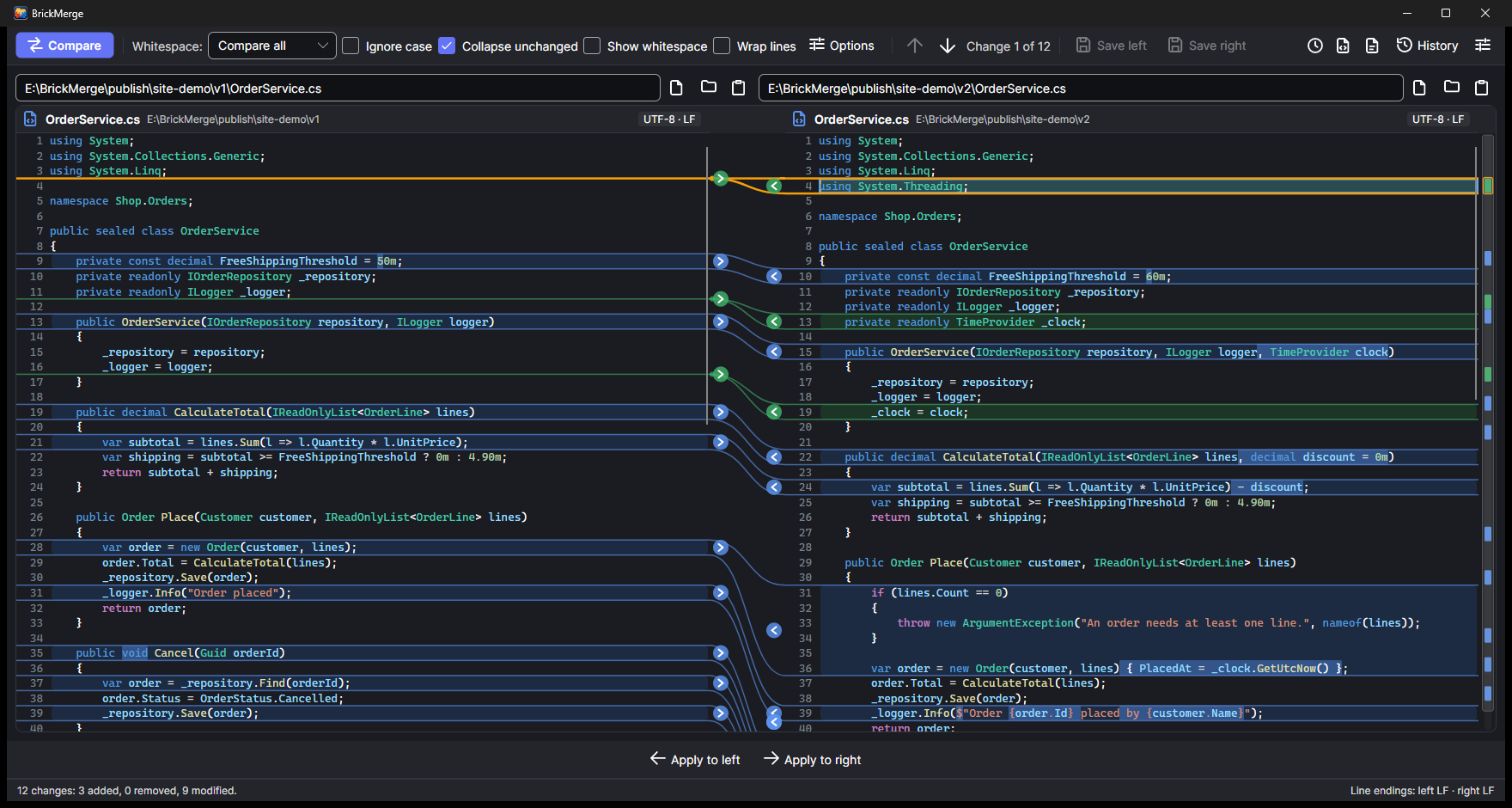
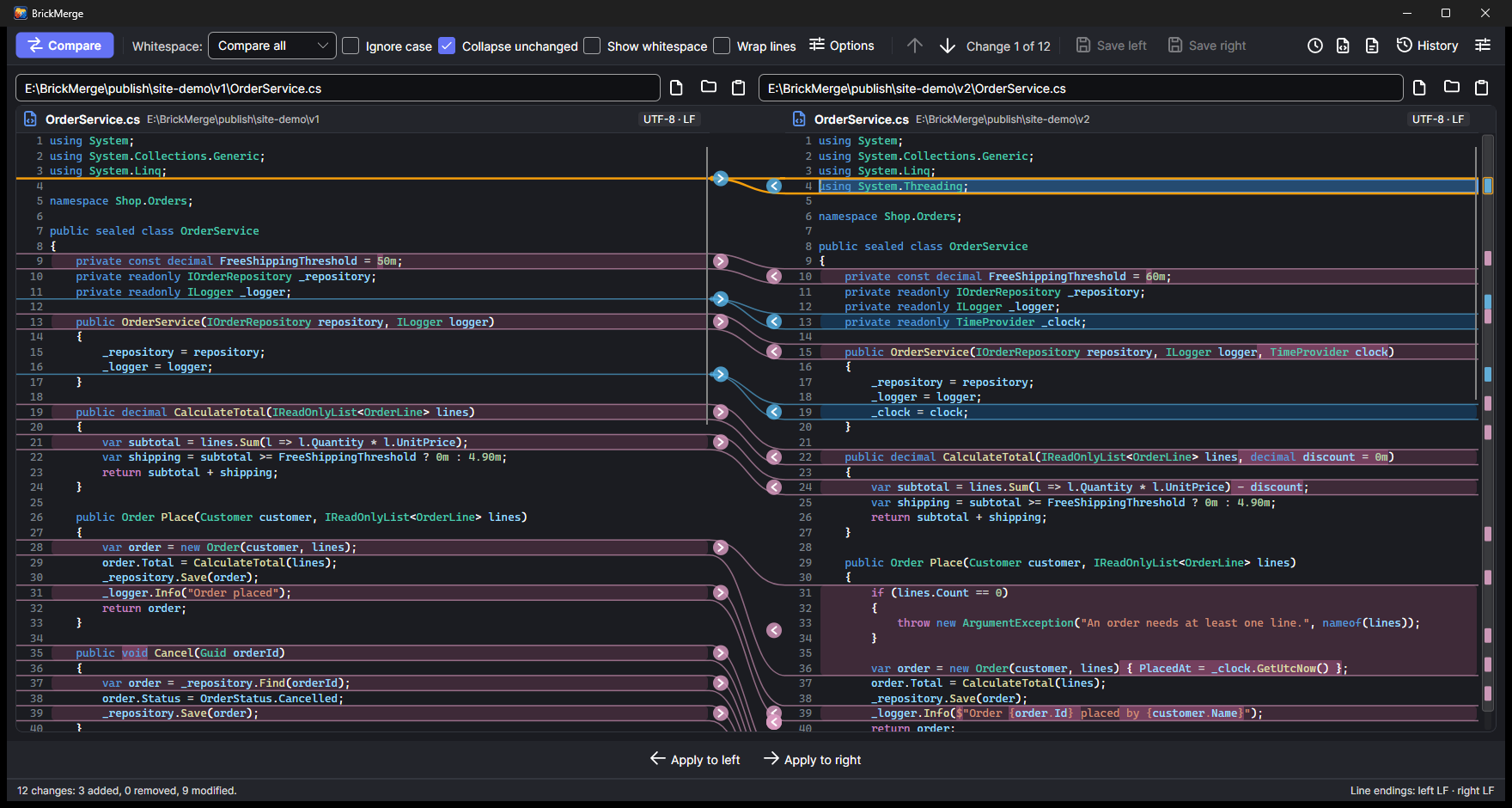
Curved lines join each changed block to its match on the other side, through both panes. Insertions and deletions end in a dot where the lines would go. One click on the arrow next to a change applies it.
BrickMerge compares files side by side and draws a line from each changed block to its counterpart, even when the two sides have different lengths. It also merges three versions, compares folders and images, understands JSON, XML and YAML, and works as your git diff and merge tool.

A fast, focused tool that keeps the changes readable, and gets out of your way.
Curved lines join each changed block to its match on the other side, through both panes. Insertions and deletions end in a dot where the lines would go. One click on the arrow next to a change applies it.
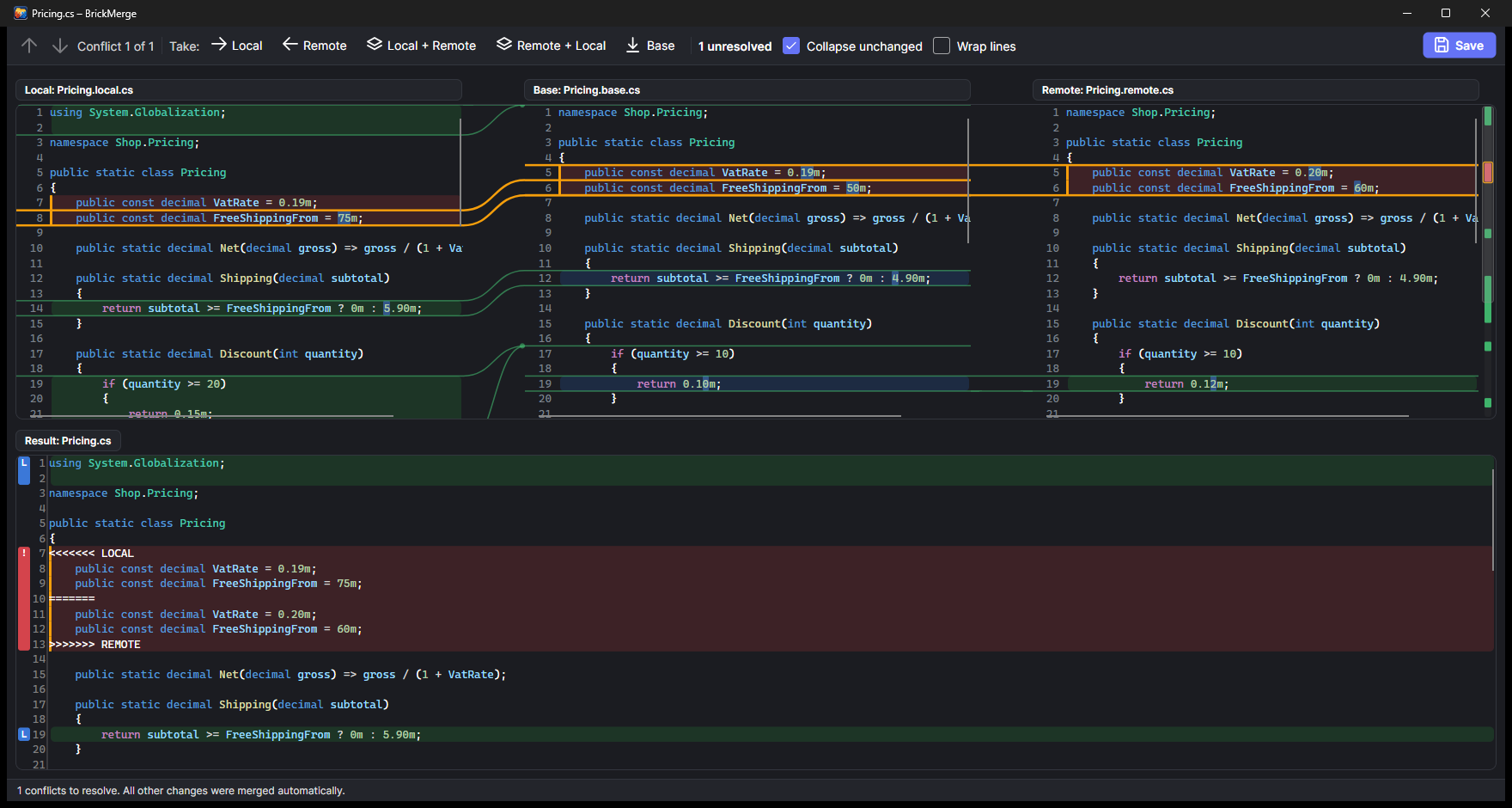
Local, base and remote side by side, the editable result below. Take local, remote, both or the base for each conflict, and see at a glance where every part of the result came from.
A tree with status per file, filters for names to skip, comparison by content or by size and date. Open any pair in a tab, copy between sides or delete to the recycle bin.
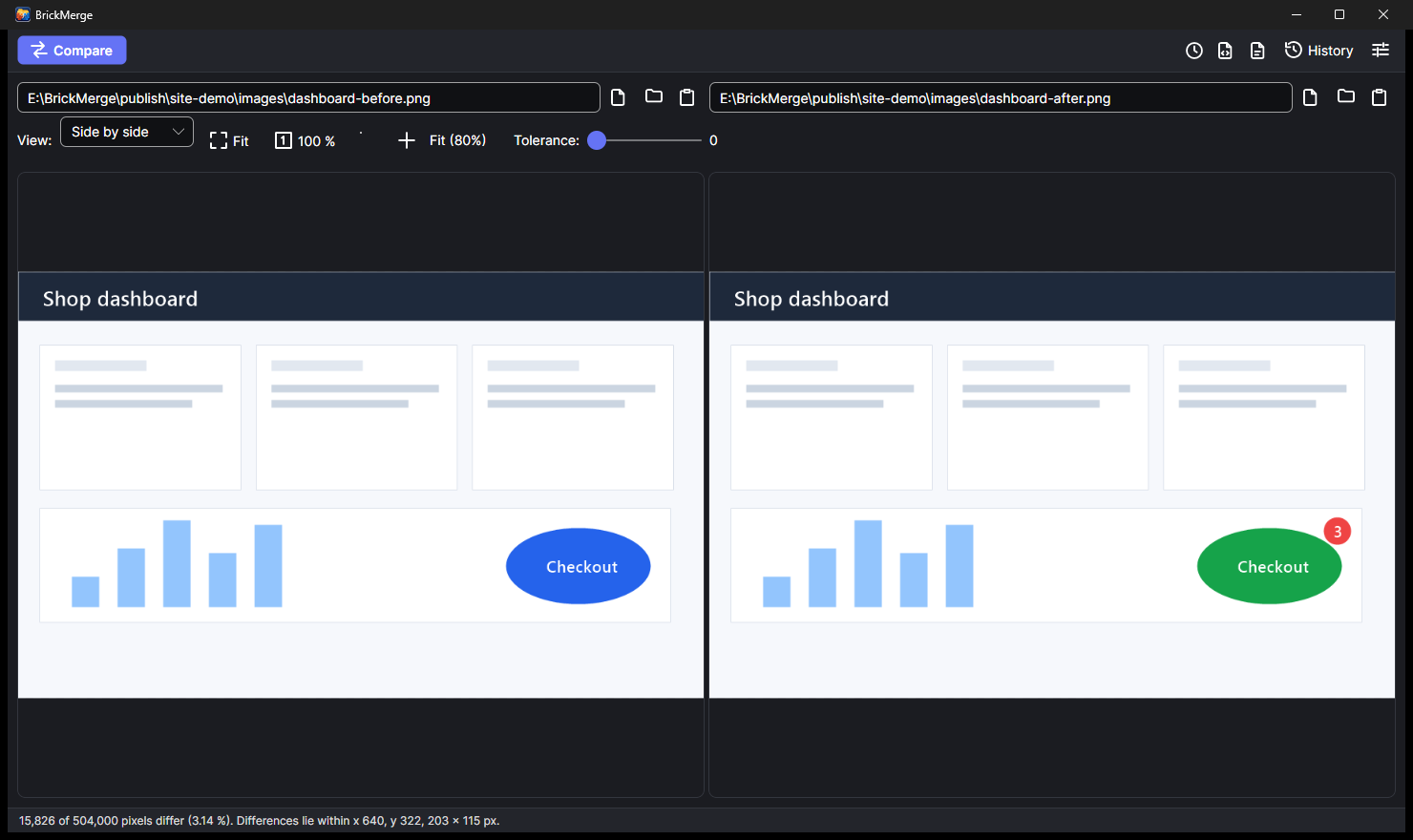
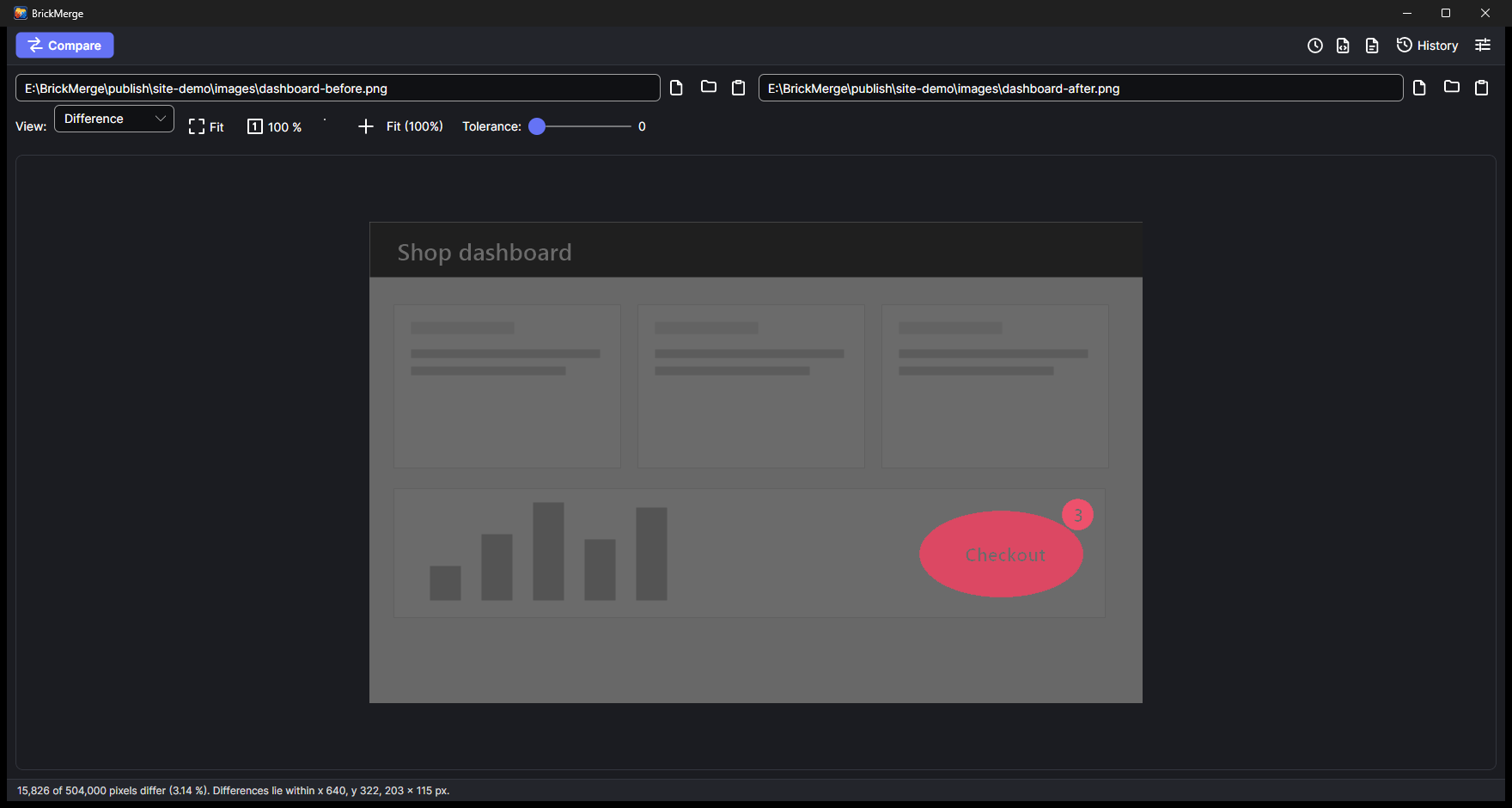
PNG, JPEG, GIF, BMP, WebP and ICO side by side, as a blink, with a slider or as a pixel difference. A tolerance setting ignores compression noise.
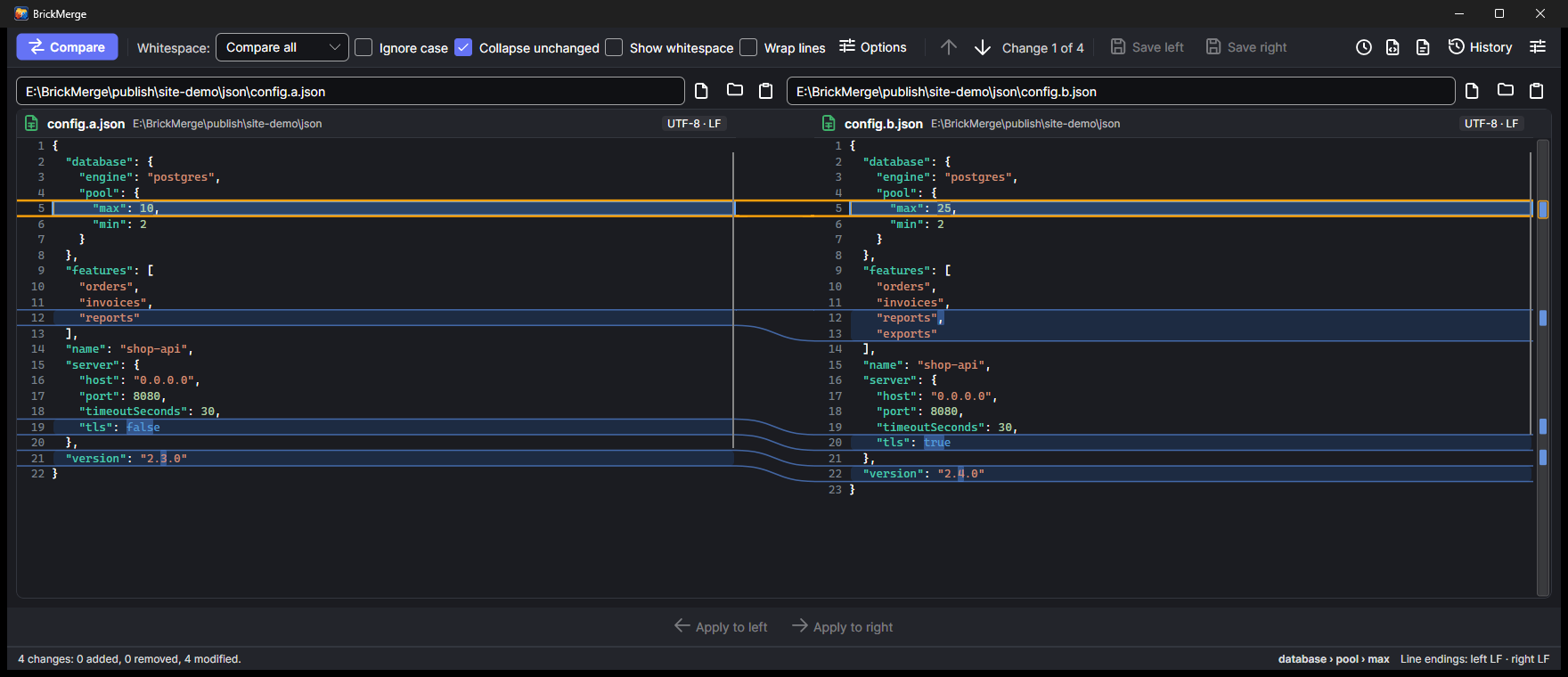
Optionally compare the structure instead of the text: formatting and key order stop mattering, and the status bar names the path of the change, like database › pool › max.
Use it as git difftool and git mergetool, browse the history of a file and compare any two revisions, or resolve a file that still has conflict markers.
Changed characters inside a line, moved blocks, visible whitespace and line endings. Choose Myers, Patience or Histogram matching, and ignore whitespace, case or text that matches a pattern.
Save a comparison as a unified patch or as a self-contained HTML page. Compare the clipboard with a file, or paste two texts into a blank comparison.
"Compare with BrickMerge" in the Explorer menu (directly in the Windows 11 menu) and in the Finder's Services menu. Any two files or folders are one right-click away.
Click a screenshot to see it in full size.
Each pane shows only its own lines. Where the two files differ in length, the lines are joined by curves, and the panes scroll in step, so you never lose your place.
The three inputs sit next to each other with the same connecting lines between them. Below is the result, which you can edit freely. Changes only one side made are merged automatically; the rest are conflicts you resolve with one click.
Compare two folders and see what is identical, different, or only on one side. Double-click a file to compare it in a new tab, and copy or delete entries to bring the sides in line.
.git or node_modules.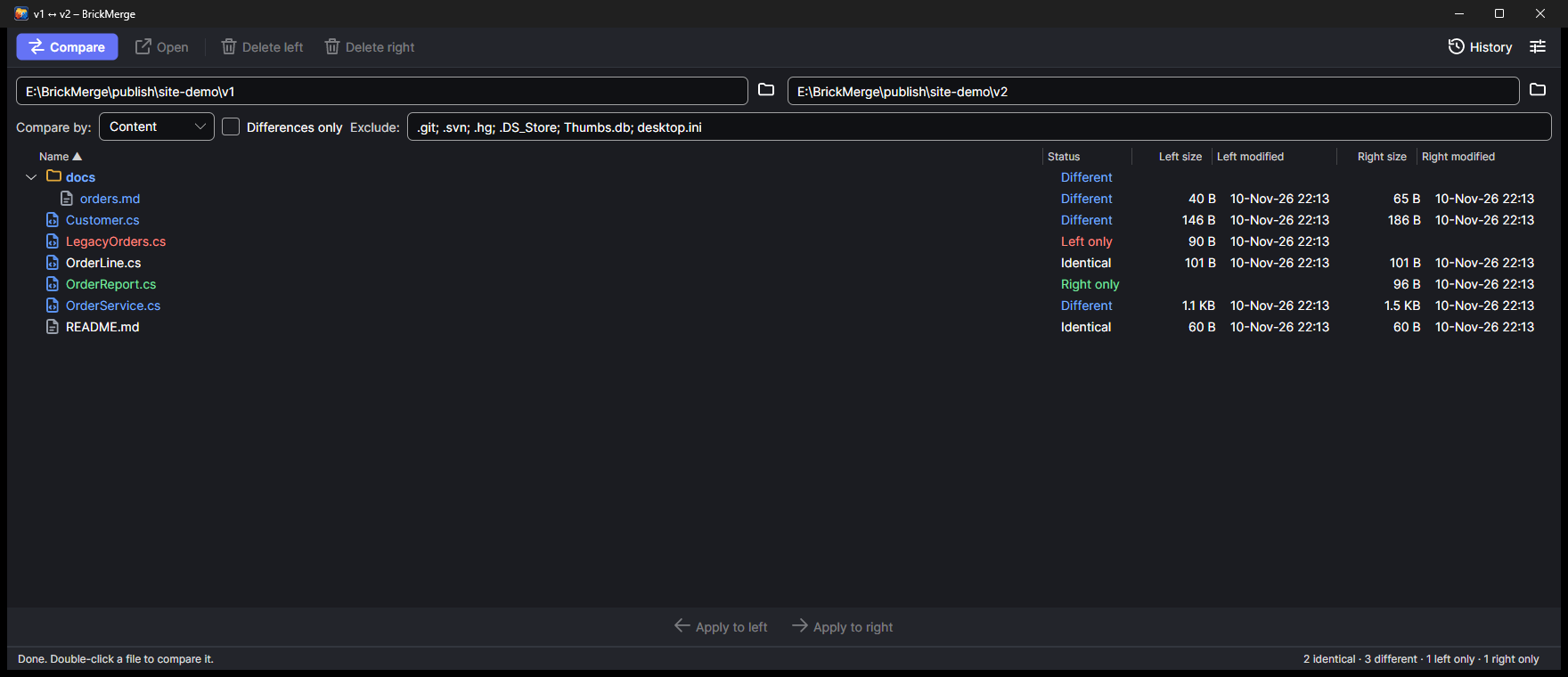
Compare two images next to each other, or let them blink, slide over each other, or show only what differs. The status bar tells you how many pixels changed and where.
Switch on the structural comparison for JSON, XML and YAML. Both files are brought into one canonical layout first, so reordered keys and different indentation disappear, and only real changes remain, with their path in the status bar.
Here a minified file and a pretty-printed one with shuffled keys differ in four values, nothing else.
Light and dark themes, a color-blind friendly palette (blue, orange and pink instead of green, red and blue), a German translation, and your last session reopened when you start the app.
BrickMerge ships a small brickmerge command that git can call, and a settings button that writes the git configuration for you.
git difftool opens the comparison and waits for you; git mergetool opens the three-way merge and trusts the exit code, so a conflict you did not resolve is not marked as resolved.
Clients such as SourceGit use the diff and merge tool from your git configuration, so setting it up once covers them too.
Open the history of a file or folder, pick one commit to compare it with its parent or with the working tree, or pick two commits to compare them. Changed files open as tabs.
Got a file with <<<<<<< markers already in it? brickmerge --resolve file splits it into local, remote and base and opens the merge view. Use git's diff3 or zdiff3 conflict style to include the base.
BrickMerge is source-available under the PolyForm Noncommercial License 1.0.0. You can use it for personal projects, study, research and other non-commercial purposes. Using it commercially needs the author's permission.